
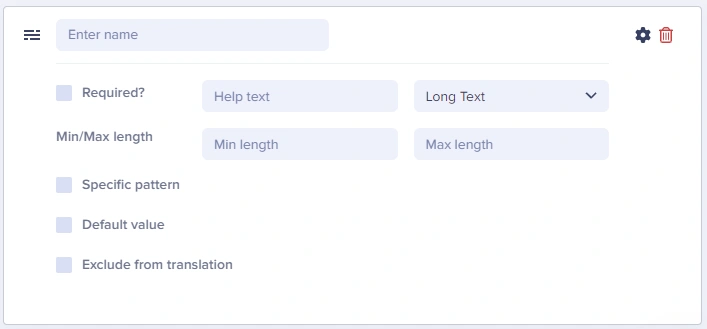
Long Text at a glance
Input and output
Input type
Multi-line text area
API output
string (preserves line breaks with \n)API response example
Field configuration options
Common use cases
- Meta descriptions for SEO
- Article summaries and excerpts
- Product descriptions
- Author bios
- Plain text instructions
- Markdown content (when you’ll parse it on the frontend)
- JSON data (advanced use)
Using Long Text as a Markdown editor
Many developers use the Long Text field to store Markdown content, which is then parsed and rendered on the frontend. This approach is popular for:- Technical documentation
- Developer blogs
- Content where authors are comfortable with Markdown syntax
Example workflow
- Create a Long Text field named
content_markdown - Authors write content using Markdown syntax
- Frontend application parses the Markdown using a library (e.g.,
marked,remark, ormarkdown-it)
API response with Markdown
Best practices
- Consider WYSIWYG instead - If editors need formatting, use the WYSIWYG field
- Document Markdown expectations - If using for Markdown, provide help text explaining the format
- Set reasonable limits - For meta descriptions, use max length of ~160 characters
- Use for SEO fields - Meta descriptions work great with Long Text