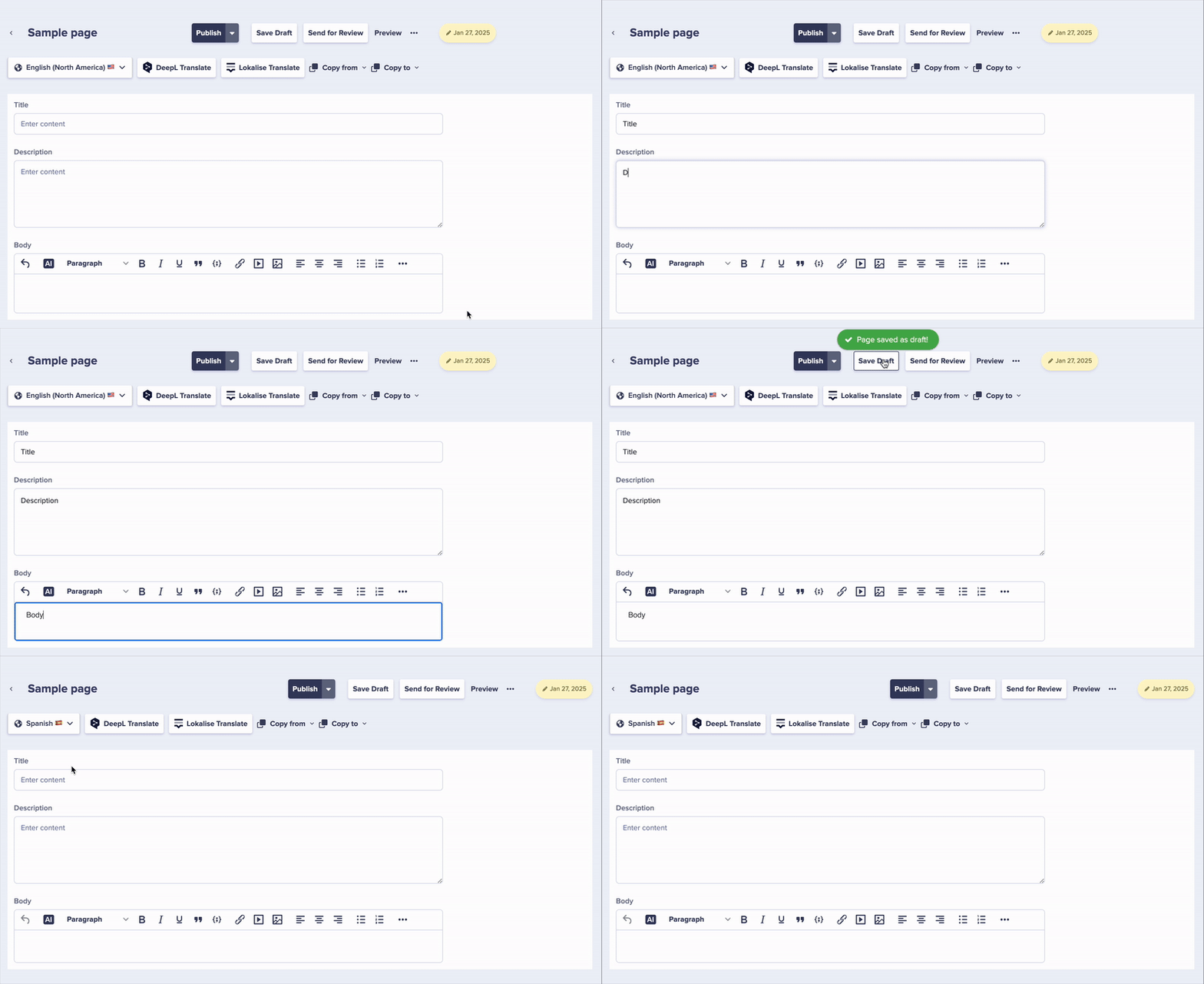
Not all content needs to exist in every locale. ButterCMS supports creating content that is unique to specific markets, regions, or languages without requiring equivalent content in other locales.
When localization is enabled, each page can have independent content for each locale. The pages created in other languages will remain empty until you enter content specifically for that locale.
// This page only exists in the German localeconst germanPromo = await butter.page.retrieve( 'promotional_pages', 'oktoberfest-sale', { locale: 'de' });// Calling with English locale would return no contentconst englishPromo = await butter.page.retrieve( 'promotional_pages', 'oktoberfest-sale', { locale: 'en' }); // Returns empty or error
Collections also support locale-specific content. All the fields in your Default Locale will be defined and the same fields are created for other Locales automatically. However, the content you create for your default locale in a Collection will not automatically appear in your other localized Collections.
// Team members collection with region-specific entries// Some team members only appear for certain marketsconst usTeam = await butter.content.retrieve(['team_members'], { locale: 'en-us'});const ukTeam = await butter.content.retrieve(['team_members'], { locale: 'en-gb'});// UK team may include different members
Local Store Locations
// Store locations that only exist in certain regionsconst germanStores = await butter.content.retrieve(['store_locations'], { locale: 'de'});
Region-Specific FAQs
// FAQs that address local regulations or customsconst euFaqs = await butter.content.retrieve(['faqs'], { locale: 'de', 'fields.category': 'gdpr'});
Imagine a product page that references related products. In different markets, you might want to show different related items:US Market (en-us)
Related product: “Summer Collection”
Shipping info: US shipping details
German Market (de)
Related product: “Herbstkollektion” (Autumn Collection)
Shipping info: EU shipping details
// The same page, different references per localeconst usProductPage = await butter.page.retrieve('product', 'main-product', { locale: 'en-us', levels: 2 // Include referenced content});const deProductPage = await butter.page.retrieve('product', 'main-product', { locale: 'de', levels: 2});// References are resolved based on the locale
Use the preview parameter to check locale content before publishing
Implement locale detection to route users appropriately
Remember that content created in only one locale won’t appear when the API is called with a different locale parameter. Ensure your frontend handles this scenario.